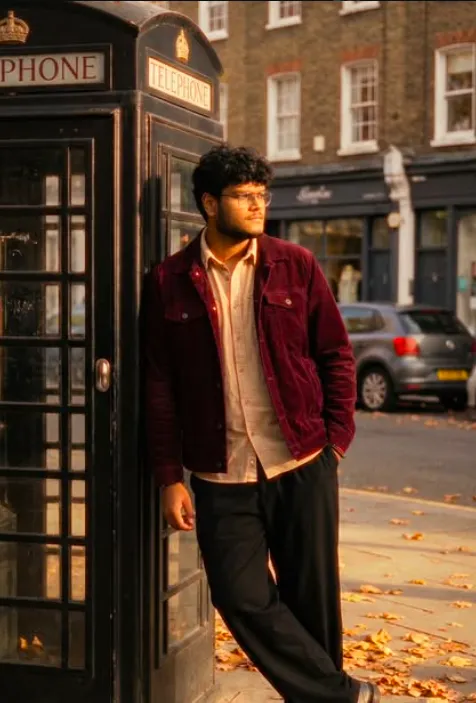
New York City Subway Portrait AI Photo Prompt
Use the uploaded photo as the single and exclusive facial reference. Absolute face lock.
Preserve identity with zero deviation: identical eyes, eyelids, brows, nose structure, lips, jawline, cheekbones, facial proportions, skin texture, pores, facial hair density, beard shape, hairline, and hairstyle. No beautification, no symmetry correction, no smoothing, no stylization. No identity drift under any condition and same specs
as reference image Hair-take reference from uploaded image
Create A ultra realistic high-resolution cinematic photo of a young man with sharp features and dark, hair from uploded image. He has an intense, brooding expression and a defined jawline. He is wearing a black fitted t-shirt under a premium black leather bomber jacket with ribbed cuffs.he
wears a gold watch.
Setting & Composition:
The scene is set inside a gritty, realistic NYC subway car with metallic walls, sliding doors, and vintage-style advertisement posters in the background. The lighting is moody and overhead, casting soft shadows that highlight his facial structure. The shot is a medium-profile angle, showing him leaning casually against a silver handrail.
Technical Details:
35mm lens, street photography style, naturalistic textures, subtle grain, cool color palette with warm skin tones, high contrast, 8k resolution.
Key Elements to Tweak
If you want to vary the result, you can swap out
these specific tags:
Aesthetic: Change "gritty" to "clean and modern" for a futuristic train vibe.
Lighting: Change "overhead" to "neon blue and pink" for a Cyberpunk look.
Attire: Swap the "leather jacket" for a "heavy wool overcoat" to shift the season to winter.
I want this image into 9:16 ratio
How to Use Gemini AI After Copying a Prompt (Step-by-Step Guide)
Many users copy AI prompts from websites but do not know what to do next. If you want to generate images using Gemini AI, follow the simple steps below.
Step 1: Copy the Prompt
First, copy the complete AI prompt from the website.
For example, if you are using a devotional prompt like New York City Subway Portrait Prompt, select the full text and press:
- Ctrl + C (Windows)
- Copy option on mobile
Make sure you copy the entire prompt because AI tools generate better results when the prompt is complete.
Step 2: Open Gemini AI
Now open the Gemini AI website or mobile app.
You can access it by going to:
If you are using a phone, you can also install the Gemini app from the Play Store or App Store.
Then sign in with your Google account.
Step 3: Start a New Chat
Once Gemini opens, you will see a text box at the bottom of the screen.
This is where you will enter your prompt.
Click inside the box to start a new conversation.
Step 4: Paste the Prompt
Now paste the prompt you copied earlier.
Use:
- Ctrl + V on computer
- Paste option on mobile
The full prompt will appear in the text box.
Step 5: Ask Gemini to Generate the Image
After pasting the prompt, write a small instruction like:
Generate this image.
or
Create an AI image using this prompt.
Then press the Enter / Send button.
Gemini will start processing the prompt.
Step 6: Wait for the Image to Generate
The AI will analyze the prompt and generate an image based on the description.
This usually takes a few seconds.
Once the image appears, you can review the result.
Step 7: Download the Image
After the image is generated:
- Click on the image
- Look for the Download option
- Save the image to your phone or computer
Conclusion
The New York City Subway Portrait AI Photo Prompt is one of the most creative ways to generate powerful devotional images using AI. By combining cinematic lighting, mythological elements, and emotional storytelling, these prompts can produce stunning visuals in just seconds.
With the right prompt and a good AI tool, anyone can create professional-quality images of New York City Subway Portrait and share them on social media. As AI creativity continues to grow, devotional AI art is becoming a new trend among digital creators and spiritual communities.